
Rewards START HERE
Your Rewards. Anytime. Anywhere.
Download the app then connect your account and you will receive $10 in Free Play!
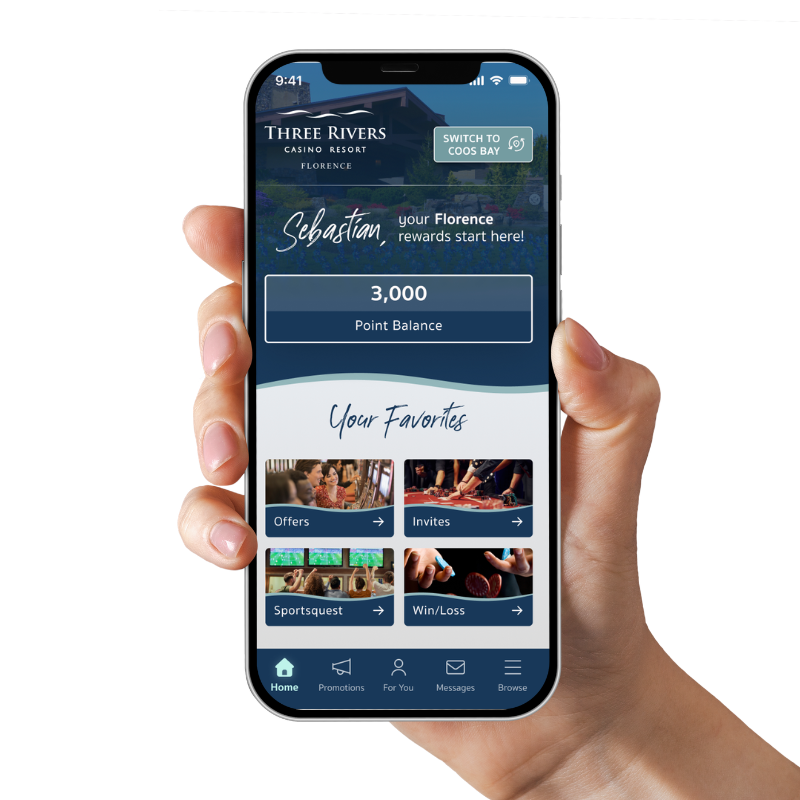
The new Three Rivers Casino Player App puts your rewards, offers, and perks right at your fingertips—anytime, anywhere.
Getting Started is Easy!
You must open this on your mobile device to make downloading the app quick and easy.
Step 1: Download the App
APPLE IPHONES
ANDROID PHONES
Step 2: Create Your Account
After downloading the app, select Create Account.
You'll need your Player Rewards Card number (Player ID), your 4 Digit Pin Code, and a valid email address to connect your rewards account.
Don't have your Player ID? Stop by Player Services and we'll be happy to help.
Everything You Need. On the Go.
Once your account is created, you'll have access to your rewards and be ready to enjoy all the features of the new Three Rivers Casino Resort App.
This is just the beginning. Watch for exciting new features and enhancements coming soon!
Download the app and connect your account today to receive $10 in Free Play!
FREQUENTLY ASKED QUESTIONS
DO I NEED TO JOIN THE PLAYERS CLUB TO USE THE APP?
If you're already a member, just log in with your existing Three Rivers Player’s Club number and PIN. If not, you can still use the app for resort information and reservations. We invite you to visit our property to enroll and make use of all the features!
I'M HAVING TROUBLE LOGGING IN — WHAT SHOULD I DO?
Double-check you're using the phone number or Player ID linked to your Three Rivers Rewards account. If you're still stuck, reach out to the Player’s Club at 1-877-374-8377 or visit the club during your next visit.
HOW DO HOW DO I UPDATE MY NOTIFICATION PREFERENCES?
You can manage what alerts and offers you receive anytime from the app's Settings menu. First click browse at the bottom of the app, then scroll down to the settings button.
HOW DO I MAKE DINING RESERVATIONS AT BONFIRE STEAKHOUSE THROUGH THE APP?
Open the app and navigate to the Restaurants section and then click Bonfire. Choose a date, time, and party size, then confirm your reservation.
HOW DO I BOOK A HOTEL STAY USING THE APP?
Tap the Accommodations section in the app and pick where you’d like to stay. From there you can Book Online. If you’re already staying with us, you can also view the Room Service Menu and Call Room Service.
HOW DO I BOOK A TEE TIME USING THE APP?
Tap the Accommodations section in the app, then Golf to book your tee time.
THE APP ISN’T WORKING, WHAT CAN I DO?
First, start by making sure you have the most up to date version of the app. If you do, you can try deleting and re-downloading to reset it. If you are still having problems, our Players Club is happy to help.
WHO DO I CONTACT WITH FURTHER QUESTIONS?
Our team is happy to help — call 1-877-374-8377, stop by the Player’s Club or email marketing@threerivers.com for assistance.